
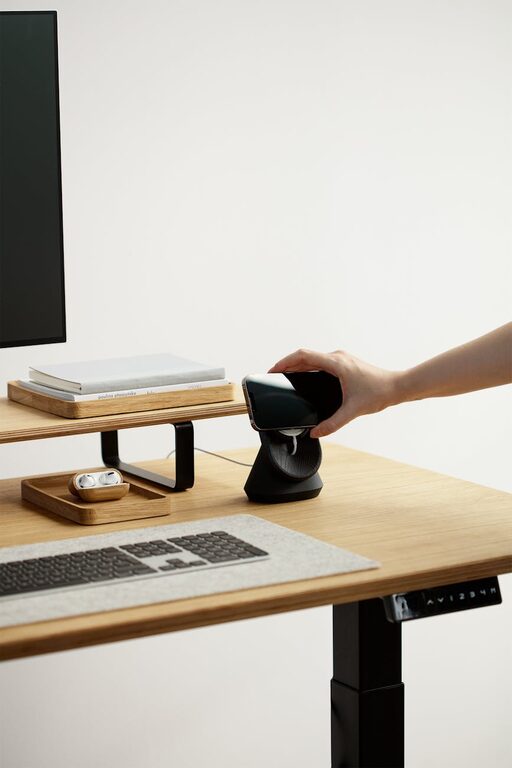
Creating a workspace that promotes both focus and comfort can make a significant difference in your daily productivity and overall well-being. Whether you work from home, in an office, or study at your desk, thoughtful arrangement and good habits can help you stay on task without discomfort or distraction. In this post, we’ll explore practical desk setup tips to help you create a workspace that supports your best work.
Why a Good Desk Setup Matters
Your desk is more than a place to put your computer—it’s your productivity hub. A poorly arranged workspace can lead to distractions, fatigue, and even physical pain. On the other hand, a well-designed desk setup encourages concentration, reduces strain, and helps maintain good posture. Investing time in organizing your desk is a simple way to enhance both comfort and focus.
Key Elements of a Focus-Friendly Desk Setup
1. Choose the Right Desk and Chair
– Desk height: Aim for a desk height where your forearms are parallel to the floor when typing. Adjustable desks or ergonomic desks can be a great choice.
– Chair support: Use a chair that supports your lower back. Look for adjustable height and lumbar support to keep your spine aligned.
– Foot positioning: Keep your feet flat on the floor or on a footrest to avoid pressure behind your knees.
2. Position Your Monitor Correctly
– Eye level: The top of your monitor screen should be at or slightly below eye level to minimize neck strain.
– Distance: Keep the screen about an arm’s length away to prevent eye fatigue.
– Screen angle: Tilt the screen slightly backward (10–20 degrees) for optimal viewing comfort.
3. Keep Your Workspace Organized
– Declutter: Remove items you don’t need daily to reduce distractions.
– Storage solutions: Use drawers, shelves, or organizers to store stationery and documents.
– Cable management: Use clips or cable sleeves to keep wires tidy and avoid tangles.
4. Optimize Lighting
– Natural light: Position your desk near a window to take advantage of daylight. Natural light can improve mood and alertness.
– Task lighting: Use a desk lamp with adjustable brightness and color temperature to reduce eye strain.
– Avoid glare: Position your screen and light sources to prevent reflections.
Comfort Tips for Extended Desk Hours
1. Incorporate Movement
– Take short breaks every 30 to 60 minutes to stretch or walk around.
– Consider using a sit-stand desk to vary your posture throughout the day.
2. Use Accessories for Support
– Keyboard and mouse: Choose ergonomic designs that support natural hand positions.
– Wrist rests: Can help reduce pressure on wrists during typing.
– Monitor stands: Raise your screen to the right height and free up desk space.
3. Manage Noise and Distractions
– Use headphones or white noise machines if you work in a noisy environment.
– Keep your phone on silent or designated “do not disturb” times.
Personalizing Your Desk Space
Adding personal touches can make your workspace feel inviting and motivate you to stay focused:
– Plants: Small indoor plants can improve air quality and add a calming green touch.
– Inspirational items: Photos, quotes, or art can boost your mood.
– Color coordination: Choose desk accessories in calming or motivating colors that suit your taste.
Maintaining Your Setup
– Schedule weekly or monthly tidying sessions to maintain organization.
– Periodically reassess your setup to accommodate changes in work habits or comfort needs.
Final Thoughts
A desk setup that prioritizes focus and comfort doesn’t need to be complicated or expensive. By paying attention to ergonomics, organization, lighting, and personal comfort, you can create a workspace that supports your productivity naturally. Start with small adjustments and see how they impact your workday—you might be surprised by the difference a well-arranged desk makes.
—
With a well-planned desk setup, you can enjoy longer periods of focused work without discomfort. Try some of these tips today, and create a workspace that works with you, not against you.